# Setup ASP.NET Core 1.0 debugging on Ubuntu 16.04
- Date: 2016-05-24
- Tags: asp.net-core, linux, ubuntu, .net-core, debugging, console, vscode
- Canonical URL: https://zablo.net/blog/post/run-and-debug-asp-net-core-rc2-ubuntu-16-04/
There has been a lot of excitement about running ASP.NET Core 1.0 applications on Linux. Since RC2, Microsoft provided official support for running .NET Core on Ubuntu, however up to the date of writing this post, .NET Core is officially working only on Ubuntu 14.04. What about newest version of this OS? You can easily get it work (**with debugging!**). Here's the tutorial, **how to run and debug ASP.NET Core 1.0 RC2 on Ubuntu 16.04**.
## Prerequsites
* Ubuntu 16.04 installed (can be a VM)
* Visual Studio Code with latest updates installed
* good will
## Installing .NET Core on Ubuntu 16.04 (dotnet)
Run the following commands to add the following repository package sources to your system (taken from the official Microsoft's http://dot.net site, from Linux/Ubuntu section):
~~~powershell
sudo sh -c 'echo "deb [arch=amd64] https://apt-mo.trafficmanager.net/repos/dotnet/ trusty main" > /etc/apt/sources.list.d/dotnetdev.list'
sudo apt-key adv --keyserver apt-mo.trafficmanager.net --recv-keys 417A0893
sudo apt-get update
~~~
Now, the original steps requires to run:
~~~powershell
sudo apt-get install dotnet-dev-1.0.0-preview1-002702
~~~
But... **there will be an error**:
~~~powershell
The following packages have unmet dependencies:
dotnet-dev-1.0.0-preview1-002702 : Depends: dotnet-sharedframework-microsoft.netcore.app-1.0.0-rc2-3002702 but it is not going to be installed
E: Unable to correct problems, you have held broken packages.
~~~
So, let's fix it! Trying to install the dependant package *dotnet-sharedframework-microsoft.netcore.app* will get you next error, saying that this package *depends on libicu52 but it is not installable*. Really? Head to:
~~~powershell
http://packages.ubuntu.com/pl/trusty/amd64/libicu52/download
~~~
and download .deb package. Now, go to the download location and install the package by running:
~~~powershell
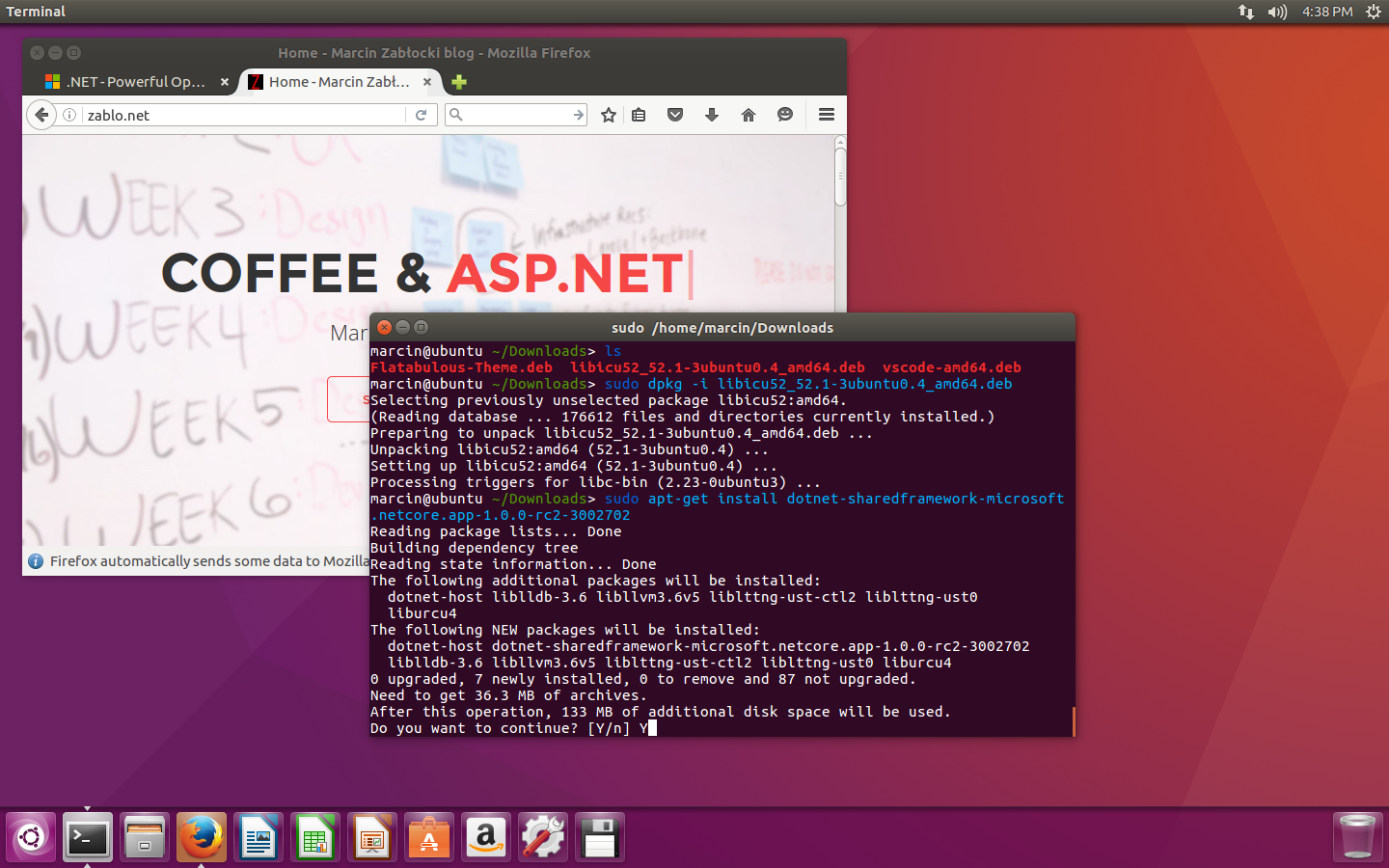
sudo dpkg -i libicu52_52.1-3ubuntu0.4_amd64.deb
~~~
Now, you will be able to run the following commands:
~~~powershell
sudo apt-get install dotnet-sharedframework-microsoft.netcore.app-1.0.0-rc2-3002702
sudo apt-get install dotnet-dev-1.0.0-preview1-002702
~~~
A few moments and...
~~~powershell
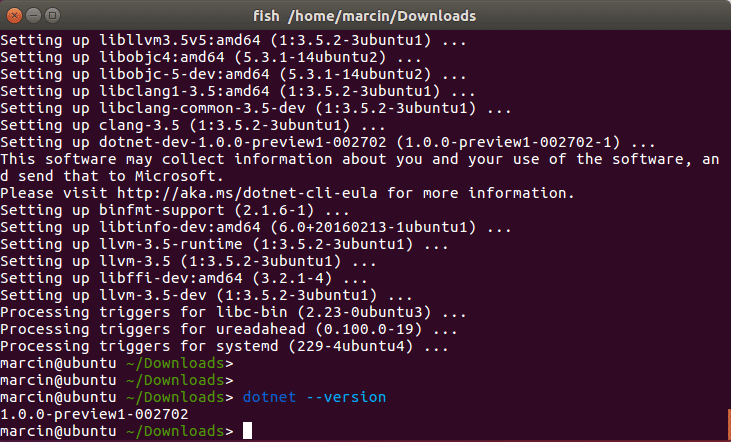
dotnet --version
~~~
...yay! It's installed.
## Visual Studio Code ASP.NET Core Debugging on Ubuntu 16.04
Now, when you have *dotnet* installed, it's time to setup the debugger. If already have a project to debug, that's great. If not - download official samples from ASP.NET github repository (https://github.com/aspnet/cli-samples - remember to run *dotnet restore* in the project directory afterwards). After setting this up, just open project directory in VS Code.
First of all, you need Visual Studio Code C# extension. To install it, just press **Ctrl+E** inside VS Code and type:
~~~powershell
ext install C#
~~~
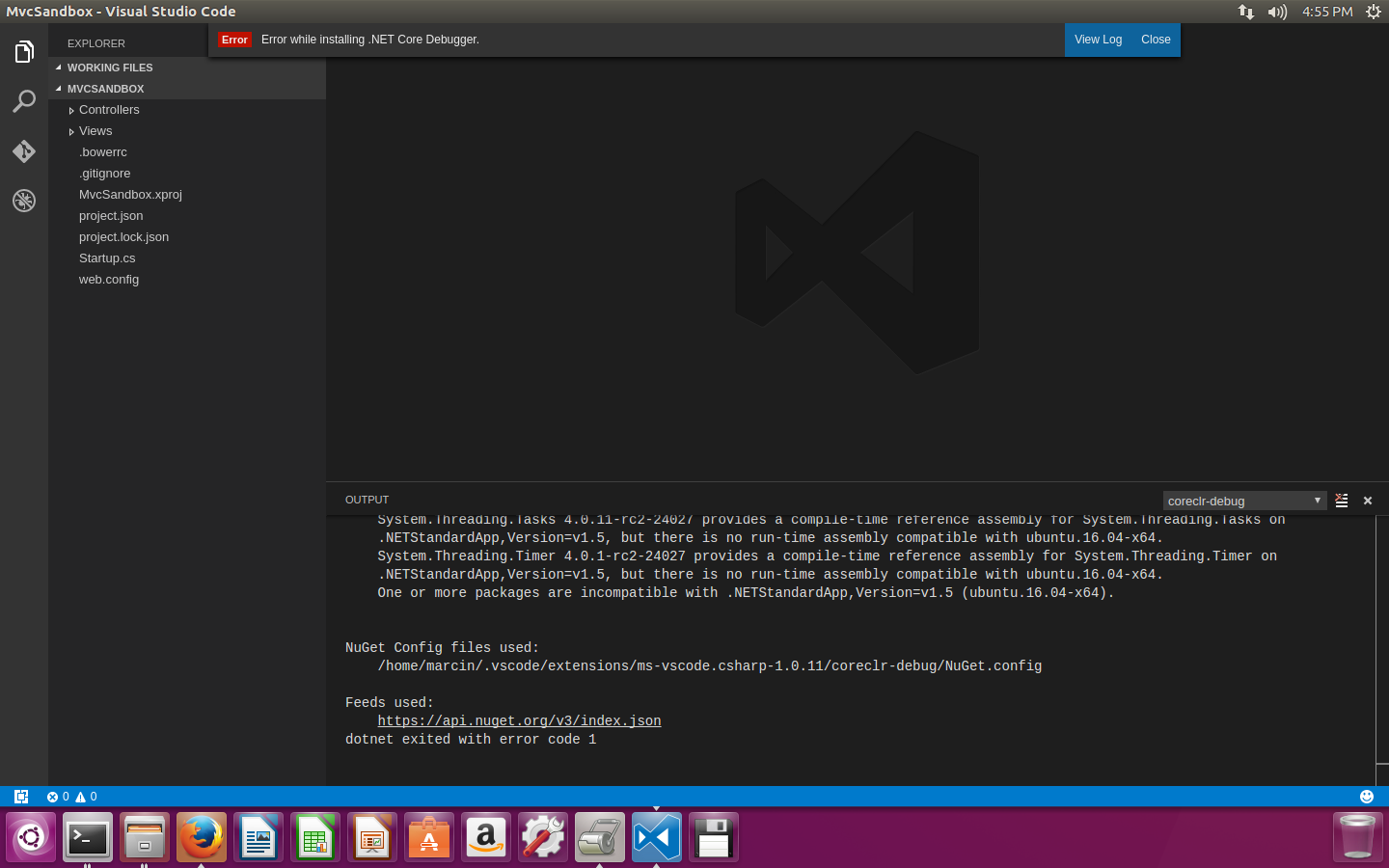
After sucessful installation, editor will prompt you to restart. And now... another error!
It says, that Ubuntu 16.04 is not supported by .NET Core Debugger. Or is it? ;]
To HACK this issue, go back to the terminal, and head to
~~~powershell
/etc/
~~~
In this directory, there is a lot of files... And here comes the greatness of "everything-is-a-file" Linux philosophy: the */etc/* directory contains the following files:
~~~powershell
os-release
lsb-release
~~~
Which as you might have guessed - store the information about Ubuntu version.
**Let's change all of the 16.04 to 14.04 and see what happens!**
~~~powershell
sudo nano os-release
edit the file, press Ctrl+O [ENTER] to save, Ctrl+X to exit
repeat the same procedure for the next file:
sudo nano lsb-release
~~~
I provide you my files if you are uncertain how they should look:
*/etc/lsb-release*
~~~markup
DISTRIB_ID=Ubuntu
DISTRIB_RELEASE=14.04
DISTRIB_CODENAME=xenial
DISTRIB_DESCRIPTION="Ubuntu 14.04 LTS"
~~~
*/etc/os-release*
~~~markup
NAME="Ubuntu"
VERSION="14.04 LTS (Xenial Xerus)"
ID=ubuntu
ID_LIKE=debian
PRETTY_NAME="Ubuntu 14.04 LTS"
VERSION_ID="14.04"
HOME_URL="http://www.ubuntu.com/"
SUPPORT_URL="http://help.ubuntu.com/"
BUG_REPORT_URL="http://bugs.launchpad.net/ubuntu/"
UBUNTU_CODENAME=xenial
~~~
Go back to Visual Studio Code. Oh my goodness! .NET Core Debugger have installed!
VS Code will also prompt you to add debug configuration file, click *yes* to generate it.
## Debugging ASP.NET Core 1.0 on Ubuntu 16.04
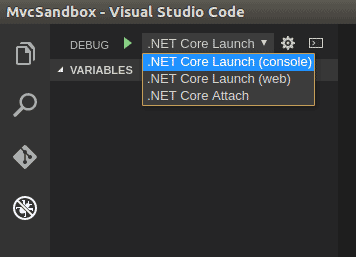
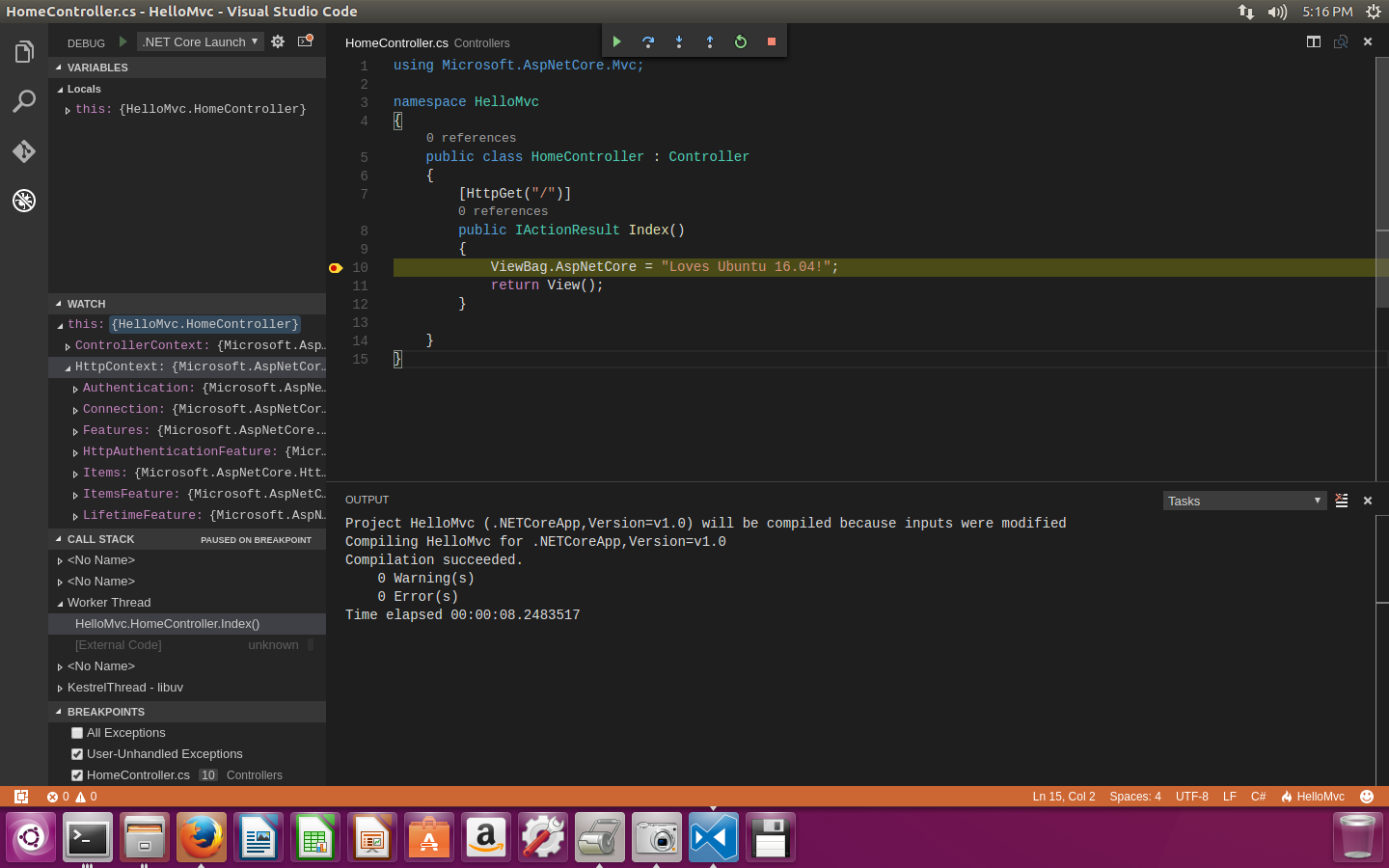
The final step. Open debug view in Code and make sure that you have **.NET Core Launch (console)** selected as debug target.
Start debugging by pressing F5. Go back to your code, and mark breakpoint somewhere.
**The ultimate test** - open web browser and hit *localhost:5000* (or any other port if you have changed it)... drumroll please...
Isn't it awesome?
I hope this post helped you to fully setup ASP.NET Core debugging on Ubuntu 16.04. Happy C# coding... on Linux!